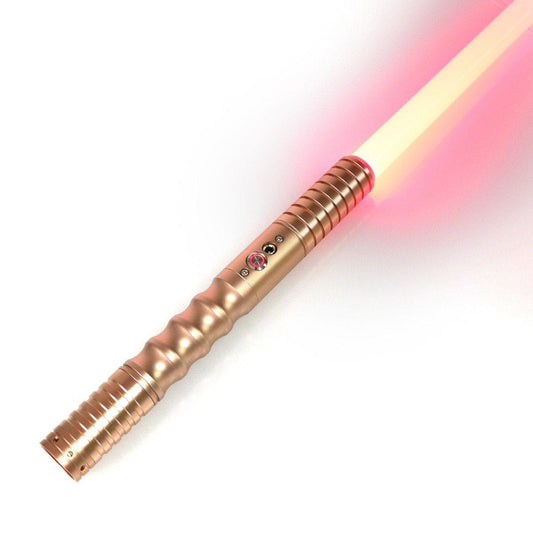

Quick Summary
A well-maintained lightsaber lasts for years. A neglected one can fail mid-event. This guide covers everything you need to keep your saber performing at its best — from battery care to blade cleaning to soundboard firmware updates.
Battery Care — The Most Common Point of Failure
The battery is the most frequently replaced component in any lightsaber. Here's how to make yours last.
Use the Right Cell: Always use protected button-top 18650 cells. Standard cells are Samsung 30Q or LG HG2 (2600mAh). Avoid flat-top or unprotected cells.
Storage Voltage: If not using your saber for more than 2 weeks, remove the battery and store it at 3.7V (about 60% charge). Full storage at 4.2V accelerates cell degradation. Empty storage below 3.0V can permanently damage the cell.
Charge Cycle Life: Samsung 30Q cells maintain >80% capacity for 300+ cycles. With regular weekend use, expect 2-3 years before replacement. Signs it's time: blade appears dimmer, runtime drops, or the saber shuts off during intense effects.
Safe Charging: Always use the charger that came with your saber or a known-good 5V/2A USB charger. Never leave charging batteries unattended overnight.
Blade Cleaning and Care
After Each Use: Wipe the blade with a soft microfiber cloth. Check the retention screw tightness.
Storage: Store blades vertically in a cool, dark place. Direct sunlight causes the diffuser material to yellow over time (typically 1-2 years). Use a blade cover for protection.
Cleaning the Diffuser: For hollow RGB blades, remove the tip and clean with isopropyl alcohol on a lint-free cloth. For Neopixel blades, use compressed air only — do not disassemble.
Inspect for Damage: Before each event, inspect the blade for cracks near the tip and base connection point.
Hilt Maintenance
Threads and Screws: Check all retention screws before each use. Apply blue Loctite (242) to prevent loosening from vibration during dueling.
Cleaning the Emitter: Clean with compressed air or a soft brush. Do not use oil or lubricant — it attracts dust.
Anodized Finish Care: Wipe with a damp microfiber cloth. Type III hard anodizing is scratch-resistant but not scratch-proof.
O-Ring Replacement: Replace annually. O-rings dry out and crack over time.
Soundboard Firmware Updates
Proffie V3: Download firmware from Proffie OS GitHub. Flash via USB using Arduino IDE. Always backup your config before updating.
SD Card Handling: Format as FAT32. Keep a backup of your font library. SD card failure is a common cause of "no sound" issues.
Event Preparation Checklist
| Before Each Event | After Each Event |
|---|---|
| Charge battery to full (4.2V) | Remove battery if storing 2+ weeks |
| Check retention screw tightness | Wipe blade and hilt |
| Inspect blade for cracks | Check blade tip condition |
| Test all sound fonts and effects | Inspect retention screw threads |
| Pack spare battery | Store blade vertically in dark place |
When to Seek Professional Repair
- Soundboard failure (no sound, distorted audio)
- LED strip damage in Neopixel blades
- Cracked solder joints on battery contacts
- Switch button failure or stuck activation
ISABER offers a 6-month electronics warranty on all sabers.